01 / Power on
Start with a press.
Press and hold to turn the pump on. It draws vacuum automatically—no plunger to work.

WRD installation system
One-person glass setting.
Four electric cups and the Long Double Hook work together to support and position replacement glass. Each cup keeps vacuum topped up while you bring the panel into place.
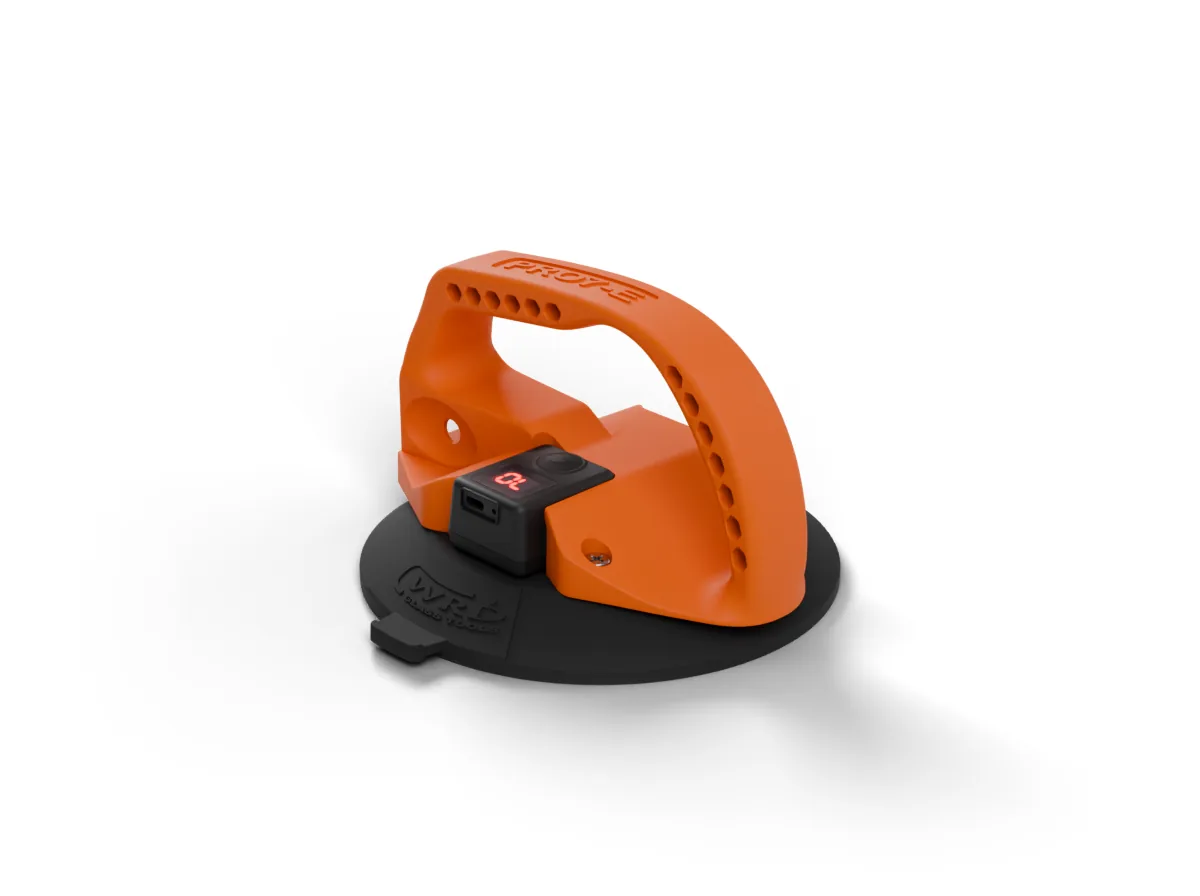
Built-in ePump X
Electric vacuum replaces the manual plunger. Start each cup once, then keep an eye on the pressure as you work.
01 / Power on
Press and hold to turn the pump on. It draws vacuum automatically—no plunger to work.
02 / Automatic top-up
When vacuum drops, the pump runs again to restore it. The display lets you check pressure at a glance.
Use clean, dry contact surfaces and keep checking the seal and pressure during use. Animated pressure readings are illustrative.
VP7 suction pad
The VP7 gives PRO7E a wider contact footprint than PRO6. Its low-profile rubber pad is made for ePump X, with a side tab for release.
Quick Connect
Slide the Long Double Hook into the cup’s Quick Connect port. The spring buttons lock it in place.

Use your PRO6 Double Hook, Extended Arm or Extended Arm 3 here too.
Long Double Hook
The Long Double Hook gives you a little more reach than the regular Double Hook, using the same Quick Connect port.
WRD-PRO7E-IS
Four cups, the Long Double Hook and a tote to keep your gear together.
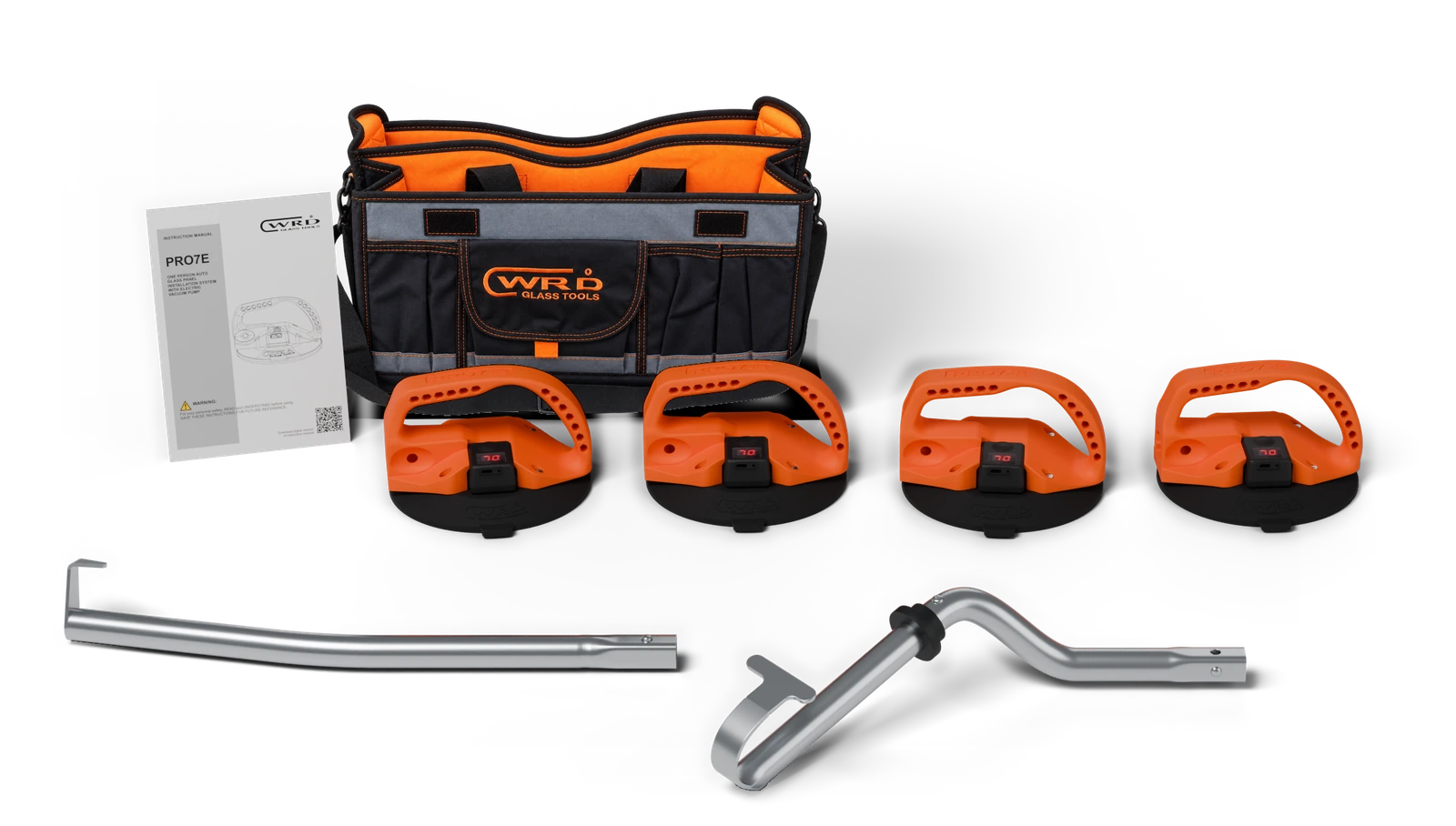
WRD-PRO7E-IS
The fourth cup
Four cups give you more options for supporting the glass. Each has its own pump, so electric vacuum is available at every hold point.
Follow the supplied instructions for cup and hook placement.
Between installations
Plug into USB-C when it’s time to recharge. The flashing display shows charging progress; P9 means you’re fully charged.
Keep your cups clean and store them dry for the next job.
Explore ePump X →Parts & support
Add another cup or replace a worn pad. Pumps and covers are available separately, too.